
Self-employment in MadeTask and how to connect your self-employed status to T-Bank
Contractors can work with us under different tax statuses, including as self-employed individuals (самозанятость). When interacting with a legal entity MadeTask as a taxpayer under the Professional Income Tax (налог на профессиональный доход) system, the self-employed contractor is responsible for paying their Professional Income Tax independently. Professional income tax is taken into account from payments to cards of Russian banks.
About the self-employed tax status
MadeTask does not withhold or pay the Professional Income Tax on behalf of contractors. The tax must be paid by the contractor independently via the "My Tax" ("Мой налог") app. Professional Income Tax applies only to payments made to Russian bank cards. Other payment methods are not subject to Professional Income Tax.
How the self-employed tax is calculated
Self-employed contractors pay tax at the following rates:
- 4% if providing services to individuals
- 6% if providing services to legal entities
Since contractors work with a legal entity, they must pay a 6% tax on each payment received.
Limitations for self-employed contractors
There is an annual income limit for self-employed individuals. If a contractor's total income exceeds 2.4 million RUB in a calendar year, then MadeTask stops making payments to this contractor as a self-employed person.
Professional income tax reporting to the tax authorities
Self-employed performers must declare their income in the "My Tax" ("Мой налог") application. This can be done through integration with the partner service T-bank (Т-Банк), which handles income declaration and tax notifications to the Federal Tax Service (ФНС). The contractor only needs to pay their tax via the "My Tax" ("Мой налог") app once a month.
How to pay the tax
By the 28th of each month, the contractor must open the "My Tax" ("Мой налог") app and pay the tax for the previous month. Payment options include:
- One-time payment by card
- Automatic deduction by linking a preferred payment method
Changing tax status
Contractors can change their tax status in their personal account under "Settings". To switch to "Self-Employed" status, the contractor must provide their Taxpayer Identification Number (ИНН) and confirm their connection to T-bank (Т-Банк). Payments to Russian bank cards will be temporarily suspended until the Federal Tax Service (ФНС) verification is complete. This suspension applies only to card payments—other payment methods will continue as usual.
Professional Income Tax and withdrawal requests
When requesting payment to a Russian bank card, self-employed contractors will see an information banner stating that the tax on this amount will be calculated, and a notification to the Federal Tax Service (ФНС) will be sent automatically. However, the payout amount remains unchanged—the contractor is responsible for paying the tax via "My Tax" ("Мой налог").
Professional Income Tax payment
By the 28th of each month, self-employed contractors must log in to the "My Tax" ("Мой налог") app and pay their tax for the previous month. Payment can be made:
- As a one-time card payment
- Automatically, by linking a preferred payment method
What if a contractor uses other tax reporting automation systems?
Contractors who use third-party receipt automation systems (for example, Sberbank Svoe Delo (Сбербанк Свое дело)) will need to manually cancel the receipt generated by those systems in the My Tax (Мой налог) app. Otherwise, two receipts will be issued, and the contractor will have to pay double the tax.
How to verify your self-employed status and connect self-employment to T-Bank
To receive payouts via MadeTask as a self-employed contractor, complete three steps:
- Verify your phone number
- Confirm your tax status
- Connect self-employment to T-Bank
The process usually takes 10–15 minutes.
Step 1. Verify your phone number
Go to Settings → Profile.
If “Self-employed in Russia” is selected, you’ll see a “Verify phone number” block on the right.
Click “Verify”.
Then:
- Open the “Login & Security” tab
- Click “Verify” next to your phone number
- Check the number and click “Next”
- Enter the SMS code
Once done, the status will change to “Verified”. You can find more details about phone number verification in the article.
If something goes wrong:
- Didn’t receive the SMS — wait and resend the code
- Make sure the number is correct
- Ensure “Self-employed in Russia” is selected
Step 2. Confirm your tax status

Go back to Settings → Profile and click
“Verify” in the tax status section.
Then:
- Enter your TIN (ИНН) (12 digits, no spaces)
- Click “Submit”
- Click “Proceed to verification”
You’ll be redirected to the T-Bank website.
Important:
- The button may be inactive if your phone number isn’t verified
- Status updates aren’t instant — syncing with the tax service can take a few hours
Step 3. Connect self-employment to T-Bank
On the T-Bank website:
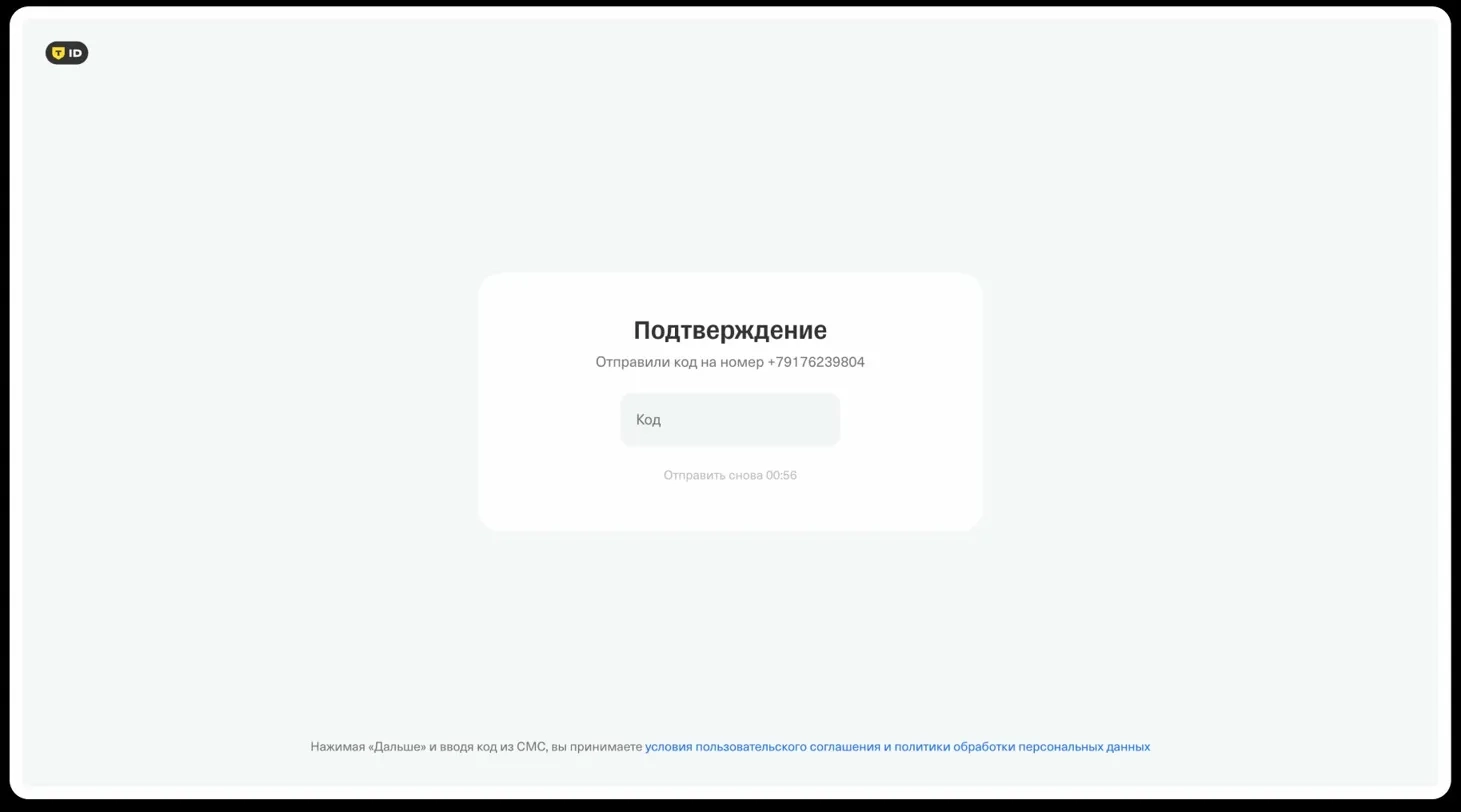
- Enter your phone number (has to match your MadeTask profile)

-
Confirm it with the SMS code
-
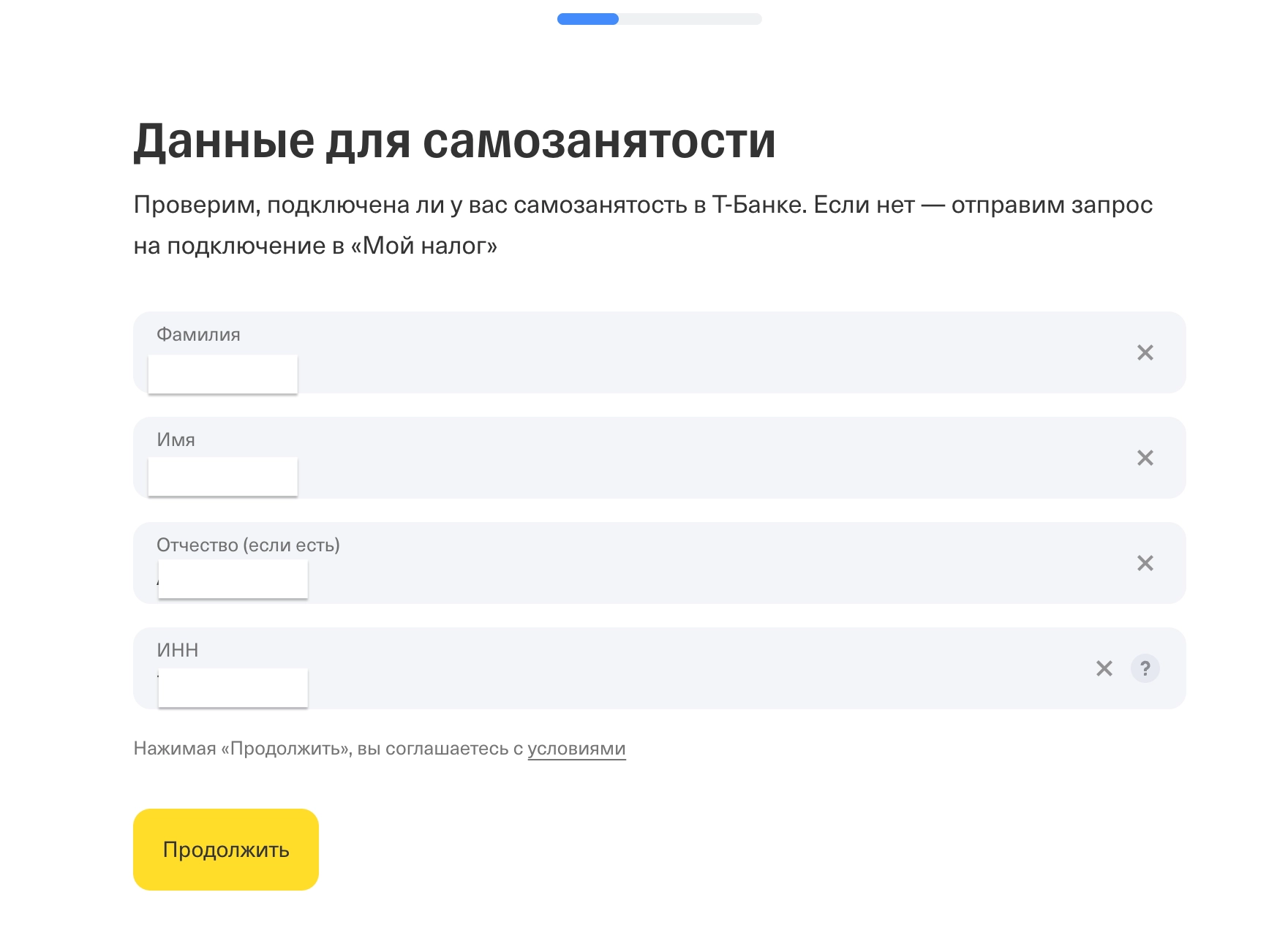
Check your details and click “Continue”
Next:
- Open the “My Tax” app
- Go to More → Partners
- Find T-Bank and approve the request
- Return to your browser and click “Invitation accepted”
If the request does not appear in the “My Tax” (Мой налог) app, wait up to 5 minutes and refresh the “Partners” section. Make sure the app is linked to the same phone number.

After that:
- Wait for the data check to complete. Do not close the tab.
- Click “Grant permission”

Final step
Return to MadeTask and refresh the page.
Your status should change to “Verified”.
If something doesn’t work
- If status is not updated, wait a few hours and refresh
- Make sure the same phone number is used everywhere
- If it’s been over 24 hours and phone number is correct then contact MadeTask support.
You’ll also see a notification in the interface once the verification is complete.